
Common LinkedIn outreach automation Mistakes and How LinkAngler Helps You Avoid Them
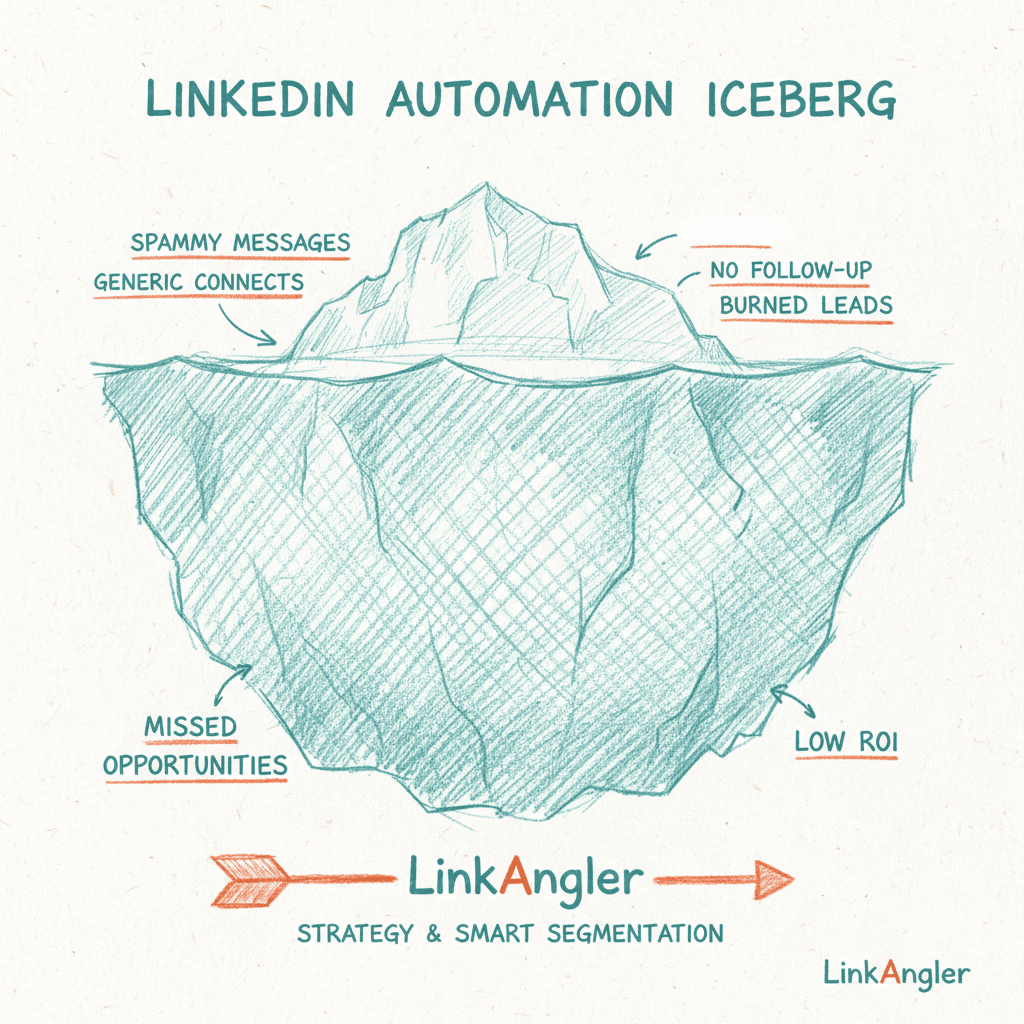
If you've ever run a LinkedIn outreach automation campaign and heard nothing but crickets, you're not alone. Most people blame the tool, tweak the message once, then give up. But the real problems usually run deeper — and they start long before you hit "send."
This isn't a list of surface-level tips you've read a hundred times. This is a proper breakdown of the structural mistakes that kill LinkedIn outreach campaigns at the root — and what a smarter approach looks like in practice.
The Wrong Starting Point: Automating Before You've Clarified Your ICP
Here's the uncomfortable truth: automation amplifies whatever you feed it. If your targeting is vague, automation will just send bad messages to more people, faster.
Most people open their LinkedIn automation tool, paste in a search URL, and start blasting. But they've never actually defined what a great prospect looks like. Not really. "Marketing leaders at B2B SaaS companies" is not an ICP. It's a category.
A proper Ideal Customer Profile gets specific:
- What company size actually converts for you?
- What seniority level has budget authority and enough pain to act?
- What tech stack, industry signals, or growth indicators suggest they're ready to buy now?
When you skip this step, you end up with a leaky funnel. You might get a 20% connection acceptance rate, but your reply-to-meeting conversion is terrible because half the people who accepted were never going to buy from you.
The fix: Define your ICP before you build a single campaign. Then use tooling that can actually apply it.
LinkAngler's AI Lead Discovery lets you describe your ideal customer in plain language and surfaces prospects who actually match — then applies an ICP Lead Scoring system that rates each lead 0 to 100. That score gives you a filter. Instead of blasting everyone on a list, you can focus your outreach on leads who hit, say, 70+. Suddenly your campaign is smaller, sharper, and way more likely to convert.
Treating Your Connection Request Like a Formality
The connection request is not a stepping stone to your "real" outreach. It is outreach. It's the first impression, the cold knock on the door — and most people absolutely waste it.
The two most common patterns:
1. The blank request. No note. Just a faceless connection invite. This works sometimes, especially if your profile is strong, but it's a missed opportunity to start the conversation.
2. The pitch-in-the-request. You've seen these. "Hi [Name], I noticed you're in [Industry] — I help companies like yours do [Vague Benefit]. Would love to connect!" It's a pitch disguised as a hello, and people see through it immediately.
What actually works? A connection request that's genuinely curious, not transactional. Reference something specific — a post they wrote, a company milestone, a shared connection or group. Make them feel like you actually looked at their profile.
This doesn't mean every request needs to be a hand-typed masterpiece. But your template needs to have a personalization hook — a variable that changes per prospect and makes the message feel human.
Writing Follow-Up Sequences Like It's 2015
Here's a sequence most people are still running:
- Connect
- "Thanks for connecting! Here's what I do..."
- "Just wanted to follow up..."
- "One last try..."
If you've sent this sequence — or received it — you know exactly how it feels. Transactional. Generic. Easy to ignore.
Effective LinkedIn outreach automation isn't just about automating the sending — it's about automating the right kind of conversation.
Some things that actually move the needle:
Engage before you ask
Before you even send a connection request, engage with your prospect's content. Like a post, leave a thoughtful comment. Not a sycophantic "Great post!" — an actual insight or question. This warms the relationship so your connection request lands with context.
LinkAngler's campaign automation supports multi-step sequences that can include post engagement as a step before the connection request, with configurable delays in between. That's not just automation — that's a relationship-building strategy running on autopilot.
Make follow-ups do real work
Each follow-up should add something new — a different angle, a relevant resource, a case study, a provocative question. If your second message is just a softer version of your first, delete it and start over.
Use different formats
Text messages are the default. But that's exactly why they blend into the noise. Voice notes have dramatically higher open and reply rates because they're unusual, they feel personal, and they require the recipient to stop and listen.
LinkAngler supports AI-generated voice notes via ElevenLabs — including voice cloning — so you can record once and scale personalised audio outreach across your entire campaign. It doesn't sound robotic. It sounds like you. Prospects notice.
Ignoring What "Hot" Actually Means
Most LinkedIn outreach automation tools treat all leads the same. They send sequences on a schedule and don't adapt based on how prospects are responding — or not responding.
But think about what a hot lead actually looks like:
- They accepted your connection request within minutes
- They opened your message and clicked a link
- They watched your video
- They replied, even just to ask a question
These signals matter. A lot. Someone who accepts your request after 12 days is very different from someone who accepted it in 20 minutes. Your follow-up for each should be different.
The fix: Pay attention to engagement signals and prioritise accordingly.
LinkAngler's hot lead detection surfaces the prospects who are actively engaging — so you can focus your energy where it's most likely to convert. Instead of treating your pipeline like a flat list, you're working it like a salesperson who actually reads the room.
Skipping Video — The Single Biggest Missed Opportunity
Here's a stat that should stop you mid-scroll: personalised video messages get significantly higher reply rates than text alone. Yet most people running LinkedIn outreach automation never send a single video.
Why? Because they think it means recording individual videos for every prospect. And that doesn't scale.
But it doesn't have to work that way.
LinkAngler's video messaging feature lets you record one video and generate personalised AI lip-synced variations for each prospect using fal.ai — so the content stays consistent but each version feels tailored. You can also send webcam or screen recordings for a more personal touch on high-priority leads.
And it doesn't stop at the message. Those videos are delivered via video landing pages with auto-play, personalised Open Graph previews (so the thumbnail preview in LinkedIn looks professional), view tracking so you know who watched and for how long, and a booking CTA that links directly to your Calendly or Cal.com.
Think about the difference in experience. Instead of your prospect getting a wall of text in their LinkedIn inbox, they get a landing page with a personalised video, their name in the preview image, and a big "Book a Call" button waiting after they watch.
That's not just outreach. That's a sales experience.
Sending at the Wrong Times (And Not Thinking About It At All)
LinkedIn outreach automation is only as good as the windows in which your messages are received. Send at 2am on a Saturday and your message is buried under everything that happened over the weekend by the time your prospect opens LinkedIn on Monday.
Most tools don't let you configure this at all. You just queue up messages and hope for the best.
Things worth knowing:
- Tuesday through Thursday tend to outperform Monday and Friday for message opens on LinkedIn
- Early morning (7–9am) and late afternoon (4–6pm) in your prospect's timezone are generally strong
- Never send during major local holidays — obvious in hindsight, but automation often ignores calendar context entirely
Quiet hours settings — controlling exactly when your automation sends activity — are a basic feature that makes a real difference in deliverability perception and reply rates. Make sure your tool supports it, and actually configure it properly.
Measuring the Wrong Things
Vanity metrics will get you nowhere. Connection acceptance rate is a decent signal for your request message quality, but it tells you nothing about pipeline impact.
Here's what you should actually be tracking:
- Reply rate — Are people responding to your messages?
- Reply-to-call rate — Of those who replied, how many booked?
- Video watch rate — If you're sending video, are they watching it?
- Sequence drop-off — At which step are people disengaging?
Most people running LinkedIn outreach automation campaigns never look at step-level data. They see "campaign got 12% connection rate" and declare victory or failure without knowing whether step 2 is where everything fell apart.
LinkAngler's analytics dashboard gives you campaign-level and step-level visibility so you can see exactly where leads are dropping off — and iterate with precision instead of guessing.
Over-Automating and Losing the Human Touch at the Moment It Matters
Here's the nuance that separates mediocre LinkedIn outreach automation from the stuff that actually builds relationships: know when to take over manually.
Automation should get the conversation started. Once a prospect replies — especially if it's a substantive, curious reply — you should step in as a human. Continue the conversation. Ask real questions. Listen.
Automation that keeps running when a real dialogue is happening is how you turn warm leads cold.
The best outreach automators use tools to handle the cold-outreach legwork and warm the relationship, then switch to manual once there's genuine engagement. That's not a workaround — that's the strategy.
A Quick Audit for Your Next Campaign
Before you launch your next LinkedIn outreach automation campaign, run through this checklist:
- Is my ICP actually defined — with specific filters, not just broad categories?
- Are my leads scored — so I'm prioritising the best fits?
- Does my connection request have a personalisation hook that's specific to each prospect?
- Does each follow-up message add new value — not just repeat the ask?
- Am I using different formats — including voice notes or video where appropriate?
- Have I set quiet hours so I'm not sending at weird times?
- Am I tracking step-level data and actually using it to iterate?
- Do I have a plan for when someone replies so automation doesn't keep running on active conversations?
If you answered "no" to three or more of those, you've found your starting point.
Wrapping Up
LinkedIn outreach automation done well isn't about sending more messages faster. It's about sending the right messages, to the right people, in the right format, at the right time — and then being human enough to close the gap when a real conversation starts.
Most of the mistakes that kill campaigns are strategic, not technical. Fix the strategy, and the right tooling does the rest.
If you want to explore how LinkAngler supports all of this — from ICP scoring and multi-step campaigns to voice notes and video outreach — you can see everything it does on the features page or check out how it fits your use case.
The campaigns that convert are the ones built with intention. Start there.