
From To-Do List to Booked Calls: LinkAngler's LinkedIn Automation Tool
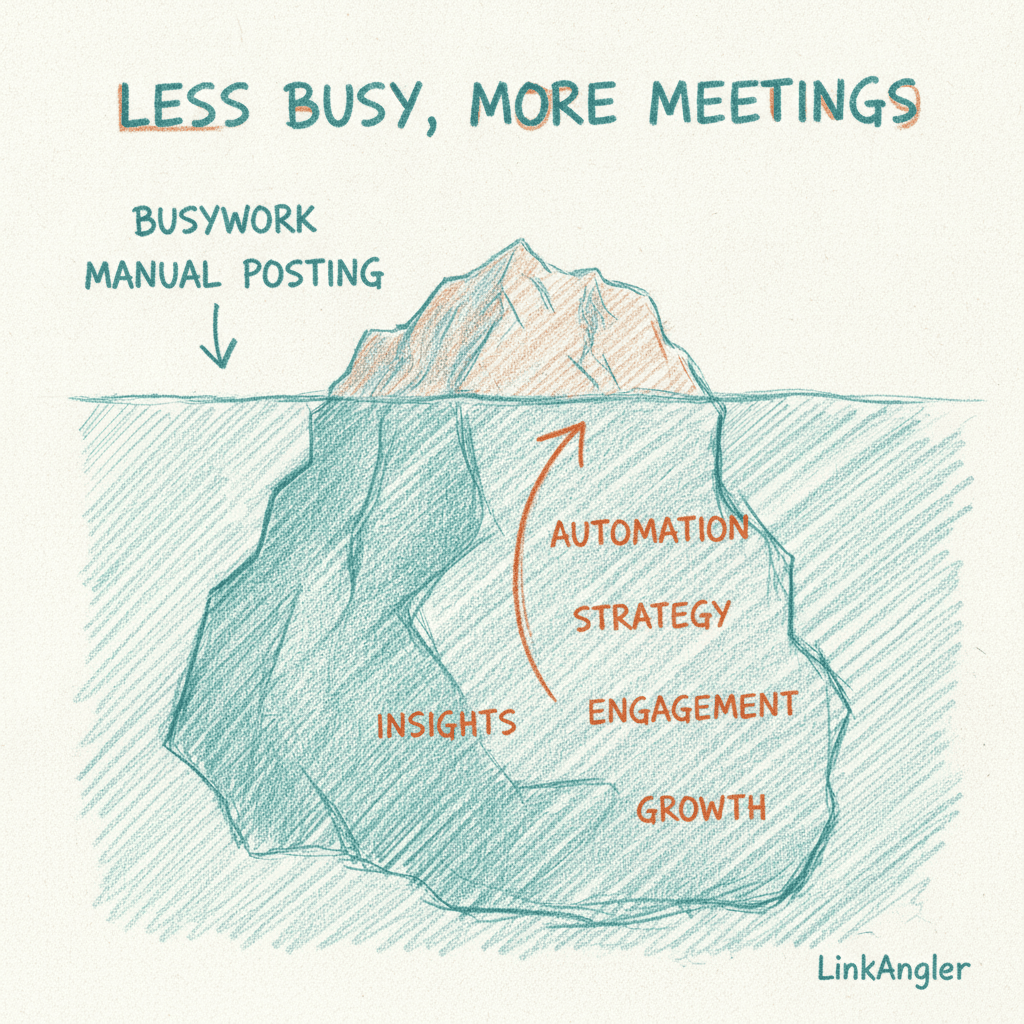
There's a particular kind of Monday morning dread that anyone doing LinkedIn outreach knows well.
You open your laptop, and there it is — a to-do list that has absolutely nothing to do with selling. Search for leads. Send connection requests. Write follow-ups. Check who replied. Draft a response. Repeat. By the time you've worked through it all, half the day is gone, and you've maybe booked one call. Maybe.
The irony is brutal: the activity that's supposed to fill your pipeline is actually emptying your schedule.
This article is about changing that. Not by working harder or waking up earlier, but by being honest about which parts of your LinkedIn outreach actually need you — and which parts are just eating your time without earning their keep.
The Real Cost of Manual LinkedIn Outreach
Before we talk about fixing anything, let's put a number on the problem.
Most salespeople, founders, and business developers spend somewhere between two and four hours a day on LinkedIn prospecting activities. That includes:
- Finding and filtering leads
- Crafting and sending connection requests
- Writing personalised follow-up messages
- Responding to replies (or remembering to)
- Tracking who's at what stage of a sequence
If you're billing your time at even £100/hour, that's £200–£400 a day you're putting into tasks that are, frankly, mechanisable. Across a month, that's potentially £4,000–£8,000 of your time going into things a well-built LinkedIn automation tool could handle while you're in back-to-back calls.
And here's the kicker: manual outreach doesn't just cost time. It costs consistency. When you're tired, distracted, or just busy with actual client work, the prospecting slips. Sequences go cold. Warm leads forget who you are. The pipeline dries up.
Where Your Day Actually Goes (And What to Do About It)
Let's break down the specific tasks that eat your time — and think honestly about where automation earns its place.
1. Lead Discovery and Research
Finding the right people is genuinely one of the most time-consuming parts of outreach. You're running searches, scanning profiles, checking job titles, filtering by industry, trying to figure out if this person is actually worth reaching out to.
Most people either rush this (and end up messaging the wrong people) or spend so long on it that they have no time left to actually reach out.
A proper LinkedIn automation tool with AI-powered lead discovery flips this entirely. Instead of you doing the legwork, your ICP gets defined once — and then the system continuously surfaces qualified prospects that match it. You're not manually hunting. You're reviewing a curated shortlist of people who actually fit your offer.
The outcome: more of the right conversations, fewer wasted messages, and hours of your week handed back to you.
2. Connection Requests
This one sounds simple, but it adds up fast. Writing a connection request that doesn't sound like spam — one that's personalised enough to get accepted — takes real effort if you're doing it manually at any kind of volume.
And volume matters. If you're only sending 10 requests a week because each one takes five minutes to write, your top of funnel is too narrow to build a consistent pipeline.
Automation handles the volume. Good automation handles the quality. With AI-generated outreach that creates genuinely personalised messages rather than filling in template blanks, your acceptance rate goes up because the messages actually sound like you — not like a robot pretending to be you.
3. Follow-Up Sequences
This is where the most money leaks out of manual outreach.
The research is clear: most deals don't close (or even start) on the first touch. A majority of replies come after the second, third, or even fourth follow-up. But when you're managing this manually, follow-ups fall through the cracks. You forget who you've messaged, how many times, and what you said last time.
With campaign automation, follow-up sequences run themselves. Someone doesn't reply to message one? Message two goes out automatically, at the right time, with a genuinely useful angle rather than just "just following up on my last message." The sequence keeps going until someone responds — or doesn't, in which case they can be re-engaged later with a fresh approach.
The result: no lead falls through the cracks simply because you got busy.
4. Responding to Hot Leads
This is perhaps the most expensive manual task of all — and the most avoidable.
Someone replies expressing interest. You're in a meeting. Or it's 7pm on a Friday. Or you just don't see the notification. By the time you respond, the moment has passed. They've moved on, got distracted, or started a conversation with a competitor.
Hot lead detection means interested replies get a booking link while the prospect is still warm. You don't have to be sitting at your laptop, refreshing LinkedIn every 20 minutes. The system spots the signal and acts on it — so you wake up to a meeting already in your diary, not a reply you need to figure out how to handle.
That alone is worth the price of a LinkedIn automation tool.
What "Autopilot" Actually Looks Like Day-to-Day
Let's paint a concrete picture of how this changes your workflow — not the ideal-world sales pitch version, but the practical, Monday-morning reality.
Before automation:
- 45 minutes searching for leads and deciding who's worth reaching out to
- 30 minutes writing connection requests
- 20 minutes checking replies and figuring out follow-up status
- 40 minutes writing personalised follow-ups
- Occasional missed reply that cost you a warm lead
- Some days, none of this happens because you're just too busy
After setting up a LinkedIn automation tool properly:
- 15 minutes reviewing the leads the system has surfaced and approved for outreach
- Campaigns running in the background, sending personalised messages, following up automatically
- Hot reply alerts surfacing only the conversations that need your attention
- Booking links going out to interested prospects while you're doing literally anything else
- More calls in the diary on Friday than you had at the start of the week — without a full day of admin to get there
This isn't hypothetical. It's what happens when you stop treating every part of outreach as something that needs your hands on it.
The ROI Case: One Call Changes the Maths
Here's a grounding exercise that's worth doing.
Think about the average value of a new client for your business. If you're a consultant, agency, or SaaS product, that number is probably somewhere north of £1,000/month. Many reading this will be thinking about clients worth £2,000, £5,000, or £10,000/month.
Now think about what LinkAngler costs. Take a look at the pricing — it's deliberately positioned so that a single booked call that converts to a client pays for the platform many times over. We're talking a potential 10x+ return on the first deal alone.
The question isn't really "can I afford a LinkedIn automation tool?" It's "how much pipeline am I leaving on the table by not using one?"
Every week you spend four hours doing manually what a tool could do in 15 minutes is a week you could have spent on calls, proposals, and closing — the parts of sales that actually need you.
Making the Switch Without Losing the Personal Touch
One of the most common objections to LinkedIn automation is the fear that messages will feel robotic. And honestly? That fear is valid. Most automation tools do produce generic rubbish.
The difference with a well-built tool is that personalisation isn't a template. It's not "Hi [First Name], I noticed you work at [Company]." That fools nobody. Real personalisation means the message actually references something specific about the person — their role, their industry challenges, something they've shared publicly — and it sounds like a human wrote it.
An AI quality gate that checks messages before they go out ensures the outreach stays personal and relevant, not just technically personalised. If a message doesn't meet the bar, it doesn't get sent. That's how you maintain your reputation while scaling your volume.
And because the system learns over time — adjusting what's working, rotating back to cold leads with fresh angles — the messaging gets better the longer you run it. It's outreach that compounds.
Where to Start: A Simple 3-Step Shift
If you're doing most of your LinkedIn outreach manually today, here's a practical way to start shifting toward automation without going all-in overnight:
Step 1: Define your ICP clearly
Before any automation can work, you need to be specific about who you're targeting. Not just "B2B SaaS companies" — but role, seniority, industry, company size, even the signals that suggest someone might be in market right now. Use ICP lead scoring to filter out weak matches early, so every message goes to someone genuinely worth talking to.
Step 2: Set up one core outreach sequence
Start with a simple 3–4 message sequence: connection request, intro message, follow-up, re-engagement. Don't try to perfect everything at once. Get it running, watch what happens, and iterate. The goal is to have something running automatically within a week — even an imperfect sequence that runs beats a perfect one that stays in your head.
Step 3: Handle only what needs you
Once the sequence is live, your job changes. You're no longer a lead-gen machine. You're responding to replies that show genuine intent, taking the booked calls that come through, and occasionally reviewing performance to tweak the approach. The heavy lifting happens without you.
The Bigger Picture: Time You Can't Get Back
There's a version of your working week where LinkedIn outreach happens in the background while you focus on the work that actually moves the needle — client delivery, sales conversations, strategic thinking, or just leaving on time.
That version isn't some distant ideal. It's what a properly set up LinkedIn automation tool actually delivers when you let it do its job.
The leads get found. The messages get sent. The follow-ups land automatically. And the hot replies — the ones that matter — get handled fast enough that you're waking up to booked calls rather than a backlog.
The busywork doesn't need to be your job. The meetings do.
Summary
Manual LinkedIn outreach is expensive — not just in pounds, but in hours, consistency, and missed opportunities. The right automation doesn't replace the human parts of selling. It replaces the admin that was slowing you down.
Here's what shifts when you automate properly:
- Lead discovery goes from hours of searching to a curated shortlist
- Connection requests and follow-ups run on autopilot, personalised and consistent
- Hot leads get a booking link instantly, not when you eventually get round to it
- Your pipeline grows without growing your to-do list
And the ROI? One new client often covers the cost of the tool for a year. The rest is upside.
Stop letting busywork eat the time you should be spending in front of qualified prospects. Let the tool do what it's built for — and show up to the meetings.