
Why Your LinkedIn Outreach Automation Isn't Converting (And How LinkAngler Fixes It)
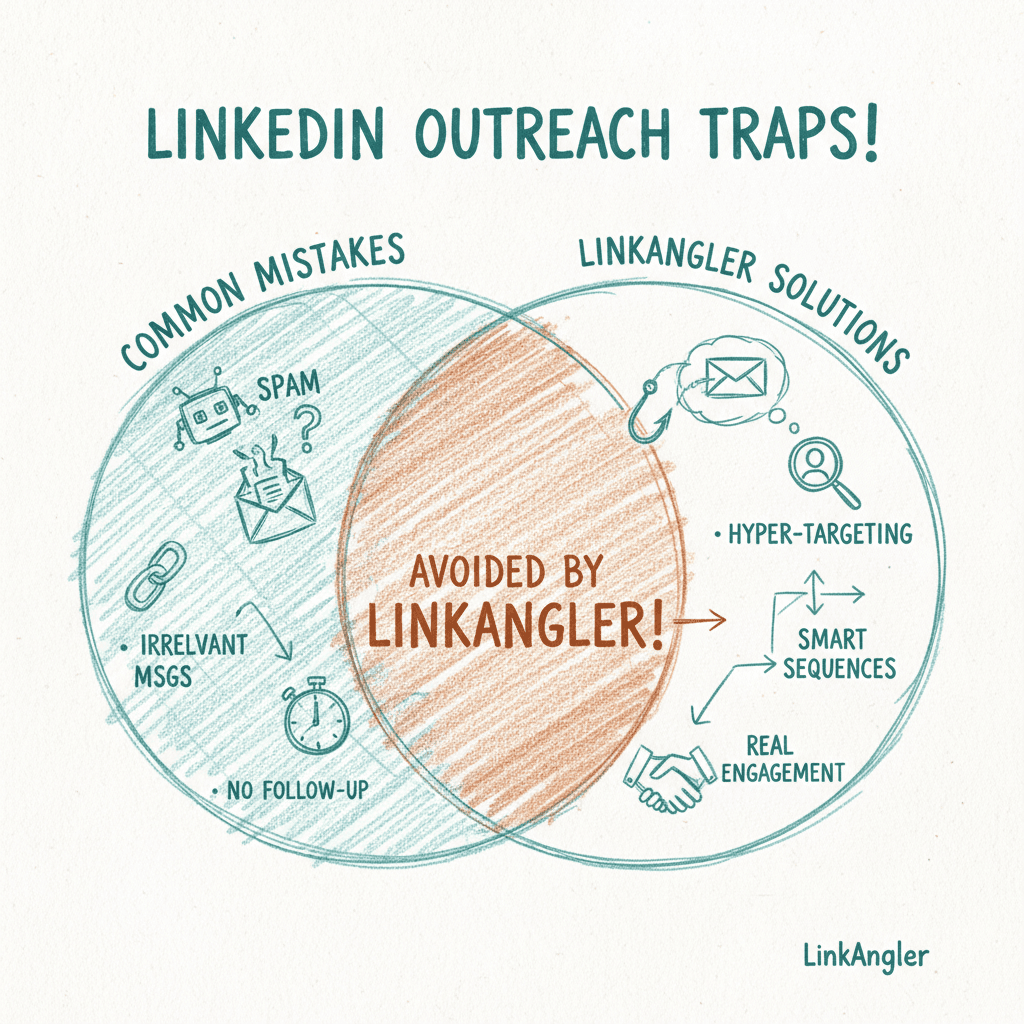
You've set up your sequences, written your messages, and hit go. But the replies just aren't coming. Sound familiar?
Most people assume the problem is their copy, or maybe LinkedIn's algorithm. But nine times out of ten, the real issue is how the automation is set up — not just what it says. LinkedIn outreach automation done badly is actually worse than no automation at all. It burns bridges with good prospects, tanks your account health, and leaves you wondering why no one's biting.
The good news? These are all fixable problems. Let's walk through the most common reasons campaigns fail to convert — and what you can do about each one today.
You're Targeting the Wrong People From the Start
This might sound obvious, but it's the root cause of more failed campaigns than anything else. If your ideal customer profile is fuzzy — or just wrong — no amount of clever automation will save you.
Here's what bad targeting looks like in practice:
- You're reaching out to job titles that match your ICP but are in the wrong industry
- You're targeting decision-makers who don't actually have budget authority
- You're pulling leads from a search that mixes in a load of irrelevant profiles
The Fix: Score Your Leads Before You Reach Out
The single biggest ROI improvement you can make to your LinkedIn outreach automation is getting smarter about who goes into the funnel in the first place.
Before you send a single message, ask yourself: does this person actually fit my ICP? And be honest about it. If you're importing 500 leads and 200 of them are only vaguely relevant, your overall conversion rate is going to look terrible — and you'll waste your follow-up sequences on people who were never going to buy anyway.
LinkAngler's AI Lead Discovery and ICP Scoring helps here by assigning every prospect a score from 0 to 100 based on how closely they match your defined ICP. Instead of eyeballing a Sales Navigator export, you can prioritise the people most likely to convert — and filter out the noise before your campaign even starts.
Your Connection Request Message Is Killing the Conversation Before It Starts
Your connection request is your first impression. And most people are blowing it.
The classic mistakes:
- Too salesy too soon — "Hi [Name], I help companies like yours with X, Y, Z. Let's connect!" Nobody asked.
- Overly generic — "I'd love to add you to my professional network." Bored already.
- Too long — LinkedIn connection notes have a 300-character limit. Writing an essay in that space makes you look desperate.
The goal of a connection request isn't to sell. It's to get accepted. That's it. The conversation starts after they connect.
The Fix: Write for Acceptance, Not for Sales
Think of your connection request as a text message, not an email. Keep it short, make it relevant, and ideally reference something specific — a mutual connection, a post they wrote, an event you both attended, or a genuine observation about their work.
A simple formula that works:
"Hey [Name] — came across your post on [topic], great take. Would love to connect with other people in the [industry/space]."
That's it. No pitch. No ask. Just human.
You're Running One-Size-Fits-All Message Sequences
This is where a lot of people get lazy. They write one sequence, blast it out to their whole list, and wonder why it's not working.
The problem is that different segments of your audience need different messaging. A CFO and a Head of Sales might both fit your ICP, but they care about completely different things. A message that resonates with one will land flat with the other.
The Fix: Segment Your Campaigns by Persona or Industry
If you're doing LinkedIn outreach automation properly, you should have multiple active campaigns running simultaneously — each tailored to a different segment.
Break your audience down by:
- Job function (sales, marketing, finance, ops)
- Industry vertical (SaaS, professional services, e-commerce)
- Company size (SMB vs. enterprise has very different decision-making dynamics)
- Pain point (if you know what keeps them up at night, speak to that specifically)
LinkAngler's campaign automation lets you run unlimited multi-step sequences across as many audience segments as you want — with connection requests, follow-up messages, delays, and engagement steps all customisable per campaign. You're not boxed into a one-template-fits-all approach.
Your Follow-Up Timing Is Off
Here's a scenario: someone accepts your connection request. You send your first message. They don't reply. You wait two days and send another. Still nothing. You wait another two days. Another message.
Now you've sent three messages in under a week to someone who never expressed any interest. Congratulations — you've just become that person in their inbox.
Aggressive follow-up doesn't signal enthusiasm. It signals desperation.
On the flip side, some people go too slow — a week between every message — and the prospect completely forgets who they are by the third touchpoint.
The Fix: Match Your Cadence to Your Audience
There's no perfect universal answer, but here's a rough framework that works for most B2B outreach:
- Day 0 — Connection accepted; send a warm, low-pressure opening message
- Day 3-5 — Follow up if no reply; add value, don't just nudge
- Day 8-10 — Final follow-up; give them an easy out or a soft ask
- Day 14+ — If still nothing, park them and re-engage later when there's a trigger (new job, new post, etc.)
The key is to build delays into your sequences rather than firing messages in quick succession. Automation should feel like a well-timed human conversation, not a barrage.
You're Ignoring Engagement Signals
One of the most underused levers in LinkedIn outreach automation is paying attention to what prospects are actually doing — and responding accordingly.
Are they viewing your profile after you sent a message? That's a warm signal. Are they liking posts in your niche? Are they commenting on content related to your solution? These are all buying signals that most automated sequences completely ignore.
The Fix: Make Engagement Part of Your Sequence
Before you send a cold connection request, try engaging with a prospect's content first. Like or comment on their post. It takes ten seconds and warms them up considerably — so when your connection request arrives, they actually recognise your name.
LinkAngler includes post engagement steps inside campaign sequences, so you can build this kind of warm-up into your outreach automatically. You can also use hot lead detection to flag prospects who are showing engagement signals, so you know who to prioritise for a more personal touchpoint.
Your Outreach Sounds Like a Robot Wrote It
Ironic, given we're talking about automation — but the goal is to sound human, even when the process isn't. The problem is that most automated messages are painfully obvious. We've all received them. The weirdly formal tone. The [First Name] that wasn't properly replaced. The generic "I noticed you're in the [industry] industry" opener that could apply to literally anyone.
Prospects have a finely tuned detector for this stuff, and once they smell automation, you've lost them.
The Fix: Personalisation at Scale
Real personalisation is more than a first name merge. It's referencing something specific — a post they wrote, a company milestone, a mutual connection, their job title and what that actually means day-to-day.
A few ways to do this at scale:
- Use dynamic variables beyond just first name — company name, industry, recent activity
- Segment your list so your messaging is at least persona-specific, even if not 100% individual
- Use video or voice for high-value prospects — nothing signals "I made this for you specifically" like a personalised video or voice note
This is where LinkAngler's video message and voice note features genuinely change the game. You can record a single video and use AI to generate lip-synced, personalised variations for each prospect — or send AI-generated voice notes that sound like you, not a robot. When a prospect receives something that feels made-for-them in a sea of copy-paste DMs, it stands out hard.
You're Not Tracking What's Actually Working
Running campaigns without looking at the data is like driving blindfolded. You might be getting somewhere, but you have no idea if it's the right direction.
A lot of people set up their LinkedIn outreach automation, let it run for a few weeks, and then make gut-feel decisions about what to change. That's a recipe for slow, painful optimisation — if any at all.
The Fix: Treat Your Campaigns Like Experiments
Every campaign should have a hypothesis: "If I change X, I expect Y to improve." Then you run it, measure it, and iterate.
The metrics worth tracking:
- Connection acceptance rate — if this is low, your request message or targeting is off
- Reply rate to first message — if this is low, your opening isn't compelling
- Reply rate to follow-ups — if drop-off is steep, your follow-up cadence or messaging needs work
- Conversion rate to booked call — the ultimate measure of whether your outreach is working
LinkAngler's analytics dashboard gives you this visibility across campaigns, so you can see exactly where prospects are dropping off and fix it — rather than just guessing.
You're Treating Automation as "Set and Forget"
This might be the biggest mindset mistake of all. Automation is a tool for scale and consistency, not a replacement for strategy and iteration. The best LinkedIn outreach automation practitioners are constantly refining — testing new openers, adjusting timing, trying different value props, experimenting with video versus text.
The automation handles the repetitive execution. You still need to bring the thinking.
Bringing It All Together
Here's a quick checklist to audit your current LinkedIn outreach automation setup:
- [ ] Is your ICP clearly defined, and are your leads scored against it?
- [ ] Does your connection request message feel human and specific?
- [ ] Do you have separate campaigns for different audience segments?
- [ ] Is your follow-up timing reasonable — not too aggressive, not too slow?
- [ ] Are you incorporating engagement steps before or alongside outreach?
- [ ] Does your messaging personalise beyond just a name?
- [ ] Are you tracking acceptance rates, reply rates, and conversion metrics?
- [ ] Are you reviewing and iterating on campaigns at least every 2-3 weeks?
If you can check all of those, you're ahead of 90% of people using LinkedIn automation. If you're missing a few, now you know where to start.
LinkedIn outreach automation at its best isn't about flooding inboxes and hoping something sticks. It's about reaching the right people, with the right message, at the right time — consistently and at scale. Get the fundamentals right and the results follow.
If you want to see how these principles come together in one platform, LinkAngler's features page is a good place to start — or take a look at how it works for sales teams specifically.